The Three Paths Into Agent Builder
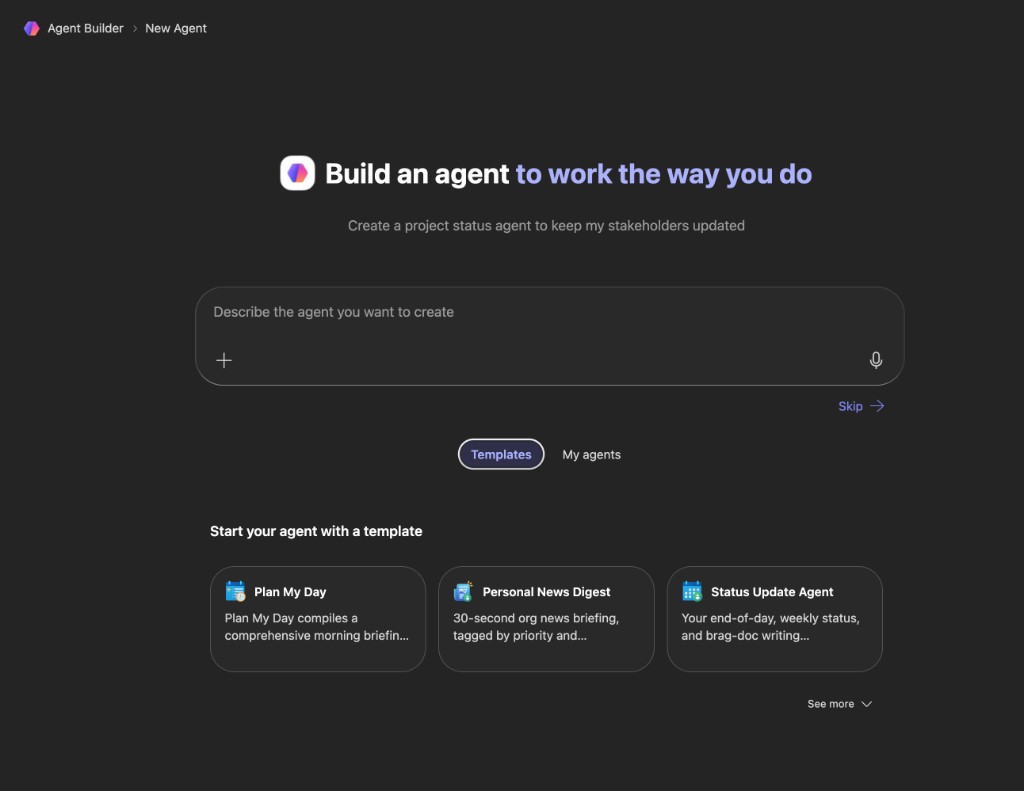
When you click New agent, you get three options. The wrong path for the job produces a working-but-wrong agent, technically fine, not useful enough to adopt.
Lesson 2
Describe, configure, or template.
The workflow that scales: describe (natural language) → configure (harden fields) → test (Try It tab) → refine instructions → share with two or three testers before broad rollout.
Three paths into Agent Builder
Core principles
- Path 1: Natural language: brief the agent like a new hire; Agent Builder drafts name, description, instructions, sources, starters. Best for first builds; output is correct but often generic, always review Configure after.
- Path 2: Configure tab: you own every field. Best when you know the use case, have built before, or share with a team that needs reliability.
- Path 3: Templates (Learning Advisor, Career Coach, Team Onboarding, etc.): study their instructions to learn good configuration, customize for MillerKnoll context, do not drop in unchanged.
- Knowledge workers who know the questions and sources are the right builders, not only IT.
Check yourself
What does the lesson recommend you always do after using the natural language path to create an agent?
The natural language path is a fast starting point, not a finished product. Review Configure, especially Instructions and Description: before you test or share. The workflow is describe → configure → test, not describe → ship.
Do this in Copilot
New agent → natural language → describe your Lesson 1 brief → read Configure tab; note what is right vs too generic.
In Copilot, open New agent → natural language. Paste this prompt, edit it, then open Configure.
Describe your agent (natural language path)
After you paste, compare the Configure tab draft to your Lesson 1 brief:
I want an agent that [purpose in plain language, who it helps, what questions it answers, which SharePoint or files it should use]. Tone: [welcoming / professional / concise]. It should only answer [scope] and redirect off-topic questions.
- Natural language brief
- Example: helps new MillerKnoll associates with first 90 days, onboarding steps, HR policy locations, who to contact, drawing from our SharePoint onboarding site.
Did you run this in Copilot? Mark complete when you have tried it.
RecordedNext lesson: The Five Fields That Make or Break an Agent →
Navigate: press j for next lesson, k for previous.